Over 68% of PC gamers report leaving their headset on their desk surface between sessions — a habit that quietly degrades headband padding, tangles cables, and shortens the lifespan of equipment that often costs $150 or more. A dedicated headphone stand costs a fraction of that and solves the problem permanently. In 2026, the category has matured well beyond simple plastic hooks into a range of aluminum-machined holders, RGB-lit charging hubs, and dual-headset display platforms that double as legitimate desk accessories. Whether you game for two hours a week or run a full streaming setup, there is a stand built precisely for your situation.

What separates a good headphone stand from a mediocre one comes down to three things: stability under real-world conditions, material quality that protects your headband over thousands of hang cycles, and whether the stand adds utility — USB charging, audio routing, or storage — beyond mere display. The market divides cleanly into two camps: premium feature-rich stands from gaming peripheral brands like Razer and Corsair, and minimalist aluminum risers from smaller manufacturers who compete purely on build quality and price. Both camps have genuine winners in 2026, and the right choice depends almost entirely on how you use your desk. If you're building out a complete gaming station, you might also want to look at our guide to the best gaming keyboards for pro-level play to finish the setup properly.
For this roundup, we evaluated seven of the most-purchased headphone stands available right now, assessing stability under headsets ranging from lightweight wireless models to heavy over-ear studio cans, examining material finish quality, testing any built-in electronics, and considering long-term value. The field includes stands from well-known gaming brands alongside strong aluminum alternatives that punch well above their price. According to Wikipedia's overview of headphone construction, headband stress is a primary failure point for premium headsets — which makes proper storage on a stand with a correctly shaped hanger more important than most buyers realize. Here is everything you need to choose the right stand for your setup.
Contents
- Standout Models in 2026
- Product Reviews
- Razer Base Station V2 Chroma — Best Premium RGB Stand
- Universal Aluminum Metal Holder — Best Budget Minimalist Pick
- Corsair ST100 RGB — Best for Surround Sound Users
- Avantree Neetto HS908 — Best Dual-Headset Stand
- MHQJRH Aluminum Stand — Best CNC-Machined Value
- New bee RGB Headphone Stand — Best Budget RGB Pick
- Knox Gear Aluminum Headset Stand — Best 2-in-1 Minimalist Stand
- Key Features to Consider When Choosing
- What People Ask
Standout Models in 2026
- #PreviewProductRating
- Bestseller No. 1
 Rating:

- Bestseller No. 2
 Rating:
 - Bestseller No. 3
 Rating:
 - Bestseller No. 4
 Rating:
 - Bestseller No. 5
 Rating:
 - Bestseller No. 6
 Rating:
 - Bestseller No. 7
 Rating:
Product Reviews
1. Razer Base Station V2 Chroma — Best Premium RGB Stand
The Razer Base Station V2 Chroma is the stand you buy when your headset is a Razer product and ecosystem integration genuinely matters to you. Razer's Chroma RGB implementation here is full 16.8 million color, synced through Razer Synapse to your keyboard, mouse, and any other Chroma-enabled peripherals on your desk — a feature that sounds superficial until you actually see a fully synchronized desk lighting setup running in person. The stand is taller than its predecessor, which gives larger over-ear gaming headsets the clearance they need without the earcups scraping the desk surface, and the anti-slip ledge at the base of the hanger arm is a thoughtful engineering touch that prevents headsets from sliding off during accidental desk bumps.
Build quality is exactly what you expect from Razer at this price point: the rubber-bottomed base grips your desk surface firmly, the detachable base design means you can separate the two sections for transport without worrying about snapping thin plastic connectors, and the overall construction feels premium rather than hollow. The built-in USB ports handle device charging reliably, and the 3.5mm port with built-in DAC gives your headset's analog audio a cleaner signal path than most motherboard jacks deliver. Where the Base Station V2 draws criticism is its price — you are paying a meaningful Razer brand premium, and if you don't use Chroma sync or need the DAC, the value proposition narrows considerably against aluminum alternatives at half the cost.
That said, for the gamer who has already committed to a Razer ecosystem and wants a stand that completes the aesthetic, the V2 Chroma delivers every feature it promises without compromise. The taller hanger arm accommodates even large open-back headsets without distorting the headband, and the DAC upgrade is a genuine audio quality improvement that you notice immediately on mid-tier headsets plugged into a standard audio jack. In 2026, this remains the benchmark for feature-rich gaming headphone stands from a branded peripheral manufacturer.
Pros:
- Full Chroma RGB sync with all Razer peripherals via Synapse
- Taller design with anti-slip ledge prevents headset sliding
- Built-in DAC delivers cleaner audio than most motherboard outputs
- Detachable base for safe transport and portability
Cons:
- Premium price that only justifies itself for committed Razer ecosystem users
- Chroma software adds background resource usage on your PC
2. Universal Aluminum Metal Holder — Best Budget Minimalist Pick
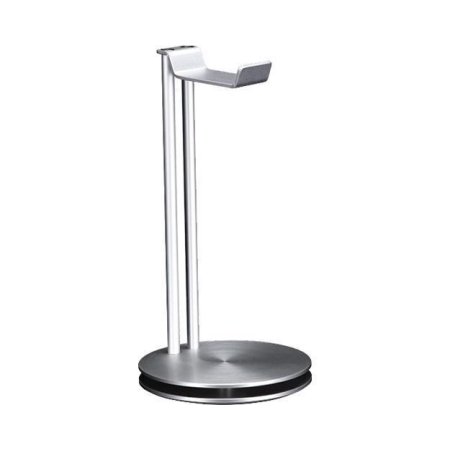
If you want a well-built aluminum stand that disappears into your desk aesthetic without demanding attention, this universal metal holder is one of the cleaner executions in the budget segment. The hanger width accommodates headsets up to 4.5cm across the headband, which covers virtually every gaming headset currently on the market — from narrow wireless models to wide-band studio-style cans — and the flexible TPU rubber headrest pad conforms to the headband profile rather than pressing a rigid edge into the padding. That pad protection detail is more important than it sounds: cheaper stands use hard plastic hooks that create a permanent crease in foam headband padding after six months of regular use.
The detachable three-piece design is genuinely useful for a desk setup that changes regularly. You pull the stand apart in seconds, slide it into a drawer or bag, and reassemble without tools — a feature set that most fixed-base stands simply don't offer. The aluminum construction is solid without being excessively heavy, and the finish quality is consistent across the product. At this price, the build-to-cost ratio is among the best in the category, and the minimalist black profile matches virtually any desk color scheme, from all-black gaming setups to lighter wood-surface workstations.
The limitations are real but predictable for this price range: no USB charging ports, no audio routing, no cable management features beyond simple headset storage. The stand does one thing — holds your headset safely and keeps your desk clear — and it does that thing very well. For a second workstation, a travel setup, or a primary stand where you simply don't need charging integration, this delivers more quality per dollar than almost anything else in 2026.
Pros:
- Flexible TPU headrest pad protects headband padding from crease damage
- Fits headsets from small to large with 4.5cm hanger width
- Detachable three-piece design stores flat in a drawer or bag
- Clean aluminum finish works with any desk aesthetic
Cons:
- No USB charging or audio routing features whatsoever
- Lighter base can shift on very smooth desk surfaces under heavy headsets
3. Corsair ST100 RGB — Best for Surround Sound Users
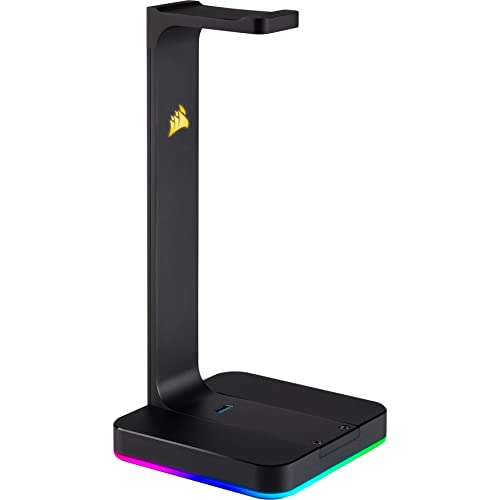
The Corsair ST100 is the stand for the gamer who treats audio as a competitive advantage, not just an accessory. The built-in 3.5mm analog input routes through the stand itself to deliver either full-range stereo or 7.1 surround sound processing — a legitimately useful feature if you play positional-audio-heavy titles like tactical shooters or open-world games where directional sound cues determine outcomes. The nine-zone dynamic RGB lighting is extensive even by gaming peripheral standards, and Corsair's iCUE software integration means it synchronizes cleanly with your keyboard, mouse, and other Corsair gear if you're running that ecosystem. The aluminum construction feels appropriately premium, with an iconic silhouette that has become recognizable enough to signal "serious gaming setup" at a glance.
Two USB 3.0 ports on the base handle fast charging and high-speed data transfer simultaneously, which makes the stand a genuine desk hub rather than simple headset storage. You plug in your phone for overnight charging, connect a USB peripheral, and route your headset audio all through one clean unit on the desk corner. The surround sound processing quality is better than you'd expect from a stand-mounted DAC — Corsair clearly invested in the audio component rather than treating it as a checkbox feature. For immersive gaming in genres covered extensively on the video games category, the ST100's surround processing is a real differentiator.
The ST100 carries a price premium that reflects its genuine feature set, and that premium is justified if you use the audio routing. If you plan to plug your headset directly into your PC or use a separate DAC/amp setup, you're paying for features you won't use, and the Razer or Knox alternatives become more rational choices. But for the gamer who wants everything — display, charging, audio enhancement, and RGB — routed through a single stand, the ST100 remains one of the best executions of that concept in 2026. The heavy aluminum build also means it stays planted under the heaviest gaming headsets without any risk of tipping.
Pros:
- Built-in 3.5mm input with 7.1 surround sound processing improves positional audio
- Two USB 3.0 ports for fast charging and data simultaneously
- Nine-zone RGB lighting with iCUE sync for full Corsair ecosystem integration
- Durable aluminum construction handles heavy headsets without tipping
Cons:
- Premium price only delivers full value if you actively use the audio routing
- iCUE software is resource-heavy for systems with limited RAM
4. Avantree Neetto HS908 — Best Dual-Headset Stand
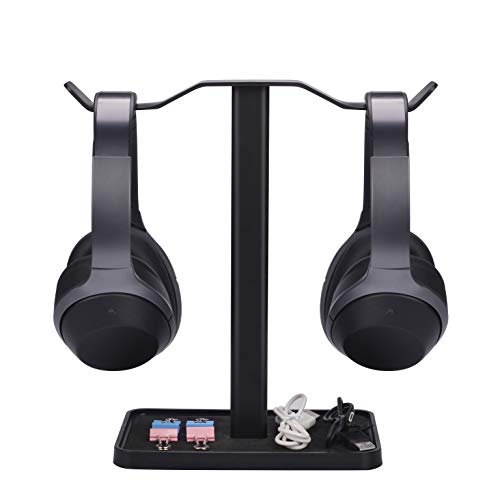
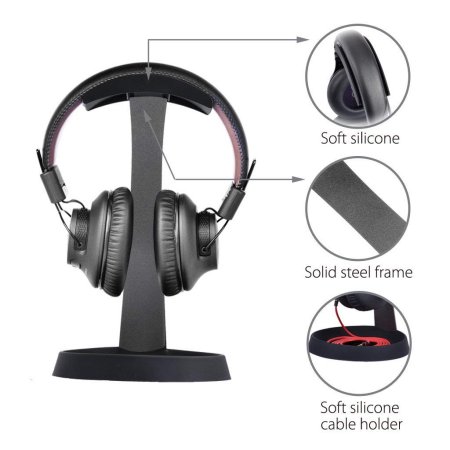
The Avantree Neetto HS908 solves a specific problem that single-headset stands cannot: you own two headsets — a gaming headset for online sessions and a wireless pair for music or calls — and you need both on your desk in a stable, organized configuration. The dual-hanger design holds two headsets simultaneously on a single contoured metal base, clearing desk space more efficiently than two separate single stands would. The solid metal base and contoured hanger arm provide a stable foundation that doesn't shift or tip even when both positions are occupied by heavy over-ear headsets, which is a non-trivial engineering challenge at this price point.
Assembly requires no tools and no screws — you push the stand column into the base and attach the hanger arm to the top in under a minute — which makes this one of the genuinely easiest stands to set up in this entire category. The integrated storage tray at the base handles cables, small accessories, a phone, or a wireless dongle without cluttering your desk surface further. Avantree has been building headphone accessories for years, and their HS908 shows that institutional knowledge: the hanger arm width and curve are calibrated to fit the broadest possible range of headband sizes without the awkward narrow-hook problem that plagues cheaper dual stands. This is also a great companion to a solid gaming chair setup — just as researched in the DXRacer vs Maxnomic gaming chair comparison, the right gear combination makes a significant difference in your long-session comfort.
The trade-off is simplicity of feature set: no RGB, no USB charging ports, no audio routing. The HS908 is purely a storage and organization solution, and a very good one for that purpose. If you need two headsets accessible simultaneously and want the cleanest possible dual-display option at a reasonable price, this is the definitive recommendation in 2026. The metal build quality is noticeably better than similarly priced plastic dual stands, and the base storage tray adds enough practical utility to make the desk footprint feel justified.
Pros:
- Dual-hanger design holds two headsets simultaneously on one stable base
- No-tool assembly completes in under one minute
- Integrated base tray stores cables, accessories, and small electronics
- Metal construction is noticeably more durable than plastic dual-stand alternatives
Cons:
- No USB charging ports or audio routing features
- Larger footprint than single-headset stands — requires meaningful desk real estate
5. MHQJRH Aluminum Headphones Stand — Best CNC-Machined Value
The MHQJRH stand represents what happens when a manufacturer prioritizes material engineering over feature count — and the result is one of the most physically impressive stands in this price range. CNC-precision machined from high-quality aluminum with a surface anodizing finish, the build quality here exceeds what you normally find outside of premium branded stands. The 6mm solid aluminum alloy base plate is thick enough to feel genuinely anchored on your desk, and the anti-skid pads underneath grip any surface firmly enough that you can hang a heavy studio headset on the arm and push it to reach your keyboard without the stand sliding an inch.
The anodized finish in Space Gray is applied consistently and resists fingerprints and desk oils better than raw aluminum surfaces on competing stands. The hanger arm profile is well-designed for headband protection — it's wide enough that the headband weight distributes across the arc rather than concentrating on a narrow pressure point, which matters significantly if you're hanging a headset with foam headband padding that you want to preserve over years of daily use. Compatible headset sizes range from compact wireless earphones to large over-ear studio cans, and the fit is universally secure without any wobble at the hanger connection point.
What you sacrifice for the build quality focus is any electronics integration. No USB ports, no audio output, no RGB. The MHQJRH is a pure display and storage stand for buyers who value craftsmanship and longevity over feature checklists, and in that category it is a standout value in 2026. If you already own a quality gaming mouse and keyboard — and if you're researching that, our guide to the best FPS gaming mice for Fortnite, PUBG, and COD is worth your time — then this stand completes the peripheral set without demanding your desk look like a RGB showroom.
Pros:
- CNC-machined precision aluminum construction exceeds the price bracket in quality
- 6mm thick base plate with anti-skid pads stays planted under heavy headsets
- Anodized finish resists fingerprints and surface wear over years of use
- Wide hanger arc distributes headband weight to prevent padding compression
Cons:
- No electronic features — purely a display and storage stand
- Minimalist aesthetic won't satisfy buyers who want RGB or visual drama
6. New bee RGB Headphone Stand — Best Budget RGB Pick
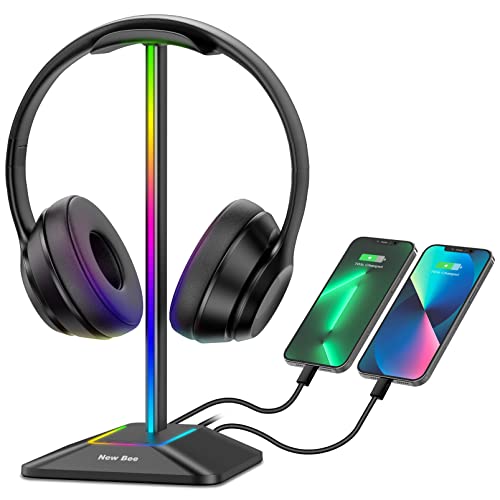
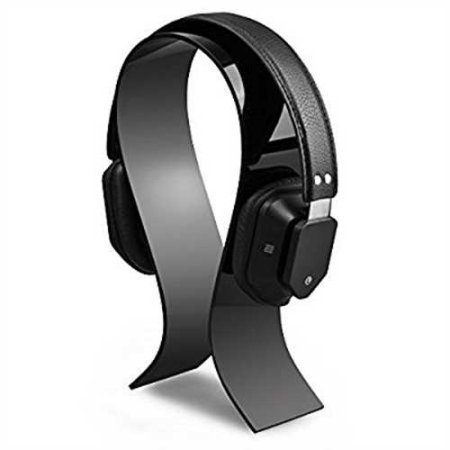
The New bee RGB stand is the answer for buyers who want RGB lighting and charging integration at a price point that won't require justification. Seven distinct lighting modes cover the most commonly used RGB effects — static, breathing, cycling, and several multi-color patterns — and the press-and-hold power control for the lights is more intuitive than app-dependent toggles on pricier units. The combination of a USB-C port and a standard USB-A port in the base gives you simultaneous charging for a modern smartphone alongside a standard peripheral or older device, which is a genuinely useful desk hub function that many competing stands in this price range skip entirely.
The aluminum construction delivers stability appropriate for the price, and the silicone non-slip base grips desk surfaces reliably. The hanger arm pad is premium TPU rubber — the same material used on more expensive stands — which means your headset's headband is protected from scratch damage and compression crease even after months of daily hanging. Plug-and-play USB compatibility covers Windows, Linux, and Mac without driver installation, and the charging ports work with essentially any USB-powered device you'd realistically place on your desk. For a stand at this price offering this feature combination, the New bee RGB delivers real value.
The limitations show in the RGB implementation itself: seven modes is a respectable count, but there's no per-zone control, no software synchronization with gaming peripherals, and no fine-grained color customization. For buyers who want full iCUE or Synapse integration, the Corsair or Razer options are the correct choice. But if you want the visual effect of an RGB gaming stand and the practical utility of USB charging without spending Corsair prices, the New bee strikes the right balance in 2026. The build quality is also meaningfully better than similarly priced plastic RGB alternatives from unbranded sellers.
Pros:
- Seven RGB lighting modes with intuitive press-and-hold toggle
- USB-C plus USB-A ports provide simultaneous dual-device charging
- Premium TPU rubber hanger pad protects headband from scratch and crease damage
- Plug-and-play across Windows, Linux, and Mac without drivers
Cons:
- No per-zone RGB control or software synchronization with gaming peripheral ecosystems
- Charging wattage is standard rather than fast-charge capable
7. Knox Gear Aluminum Headset Stand — Best 2-in-1 Minimalist Stand
Knox Gear's aluminum headset stand takes a design approach that most stands in this category ignore entirely: the base doubles as a functional storage dish. The wide, flat base provides a stable anti-slip foundation for the stand column, but the dish profile holds earbuds, headphone adapters, a wireless USB dongle, or any small desk accessory that would otherwise clutter the surface around your setup. This 2-in-1 stand-and-cable-mount concept is one of the more practical design innovations in the budget headphone stand space, and Knox executes it without making the base feel awkward or oversized.
The sleek black aluminum construction is genuinely minimalist — no RGB, no visible cable ports, no brand markings that shout for attention — which makes it the stand of choice for setups where the aesthetic is clean and intentional rather than gaming-maximalist. The wide base with the anti-slip silicone pad handles even heavy over-ear headsets without any tipping tendency, and the hanger arm profile is elevated high enough to provide clearance for most headsets without the earcups grazing the base dish. The cable management function is straightforward but effective: you can loop instrument cables, USB cables, or headphone extension cables around the stand column for clean routing rather than leaving them tangled on the desk surface.
Knox Gear's stand won't satisfy a buyer who needs USB charging or audio routing — it's a pure display, storage, and cable management solution built from quality aluminum at a price that undercuts both Corsair and Razer significantly. For the gamer building a clean desk setup — and the gaming peripheral market in 2026 rewards that kind of intentional design thinking — this stand is the correct choice when the priority is desk organization over feature stacking. The minimalist aesthetic pairs naturally with clean mechanical keyboards, quality mice, and a simple monitor arm arrangement for a setup that looks deliberate rather than assembled from impulse purchases.
Pros:
- Base doubles as a storage dish for earbuds, adapters, and small accessories
- Cable management capability keeps instrument and USB cables organized
- Clean minimalist aluminum aesthetic pairs with any non-RGB desk setup
- Wide anti-slip base handles heavy headsets without tipping risk
Cons:
- No USB charging ports, audio routing, or RGB lighting
- Hanger arm height may be insufficient for very large open-back headsets
Key Features to Consider When Choosing a Headphone Stand
Build Material and Base Stability
The single most important variable in headphone stand longevity is build material, and in 2026 the clear winner is aluminum over plastic for any stand you intend to use daily. Aluminum stands resist surface cracking, maintain dimensional stability under temperature changes, and hold their finish over years of contact with desk oils and dust in a way that ABS plastic simply doesn't. Within the aluminum category, look specifically at base plate thickness — a 6mm solid base provides meaningfully more stability than a thin-stamped sheet base — and confirm that the anti-slip pad under the base covers the majority of the base footprint rather than just the four corners. A stand that tips under a heavy headset is a stand you stop using within a week. If you're investing in premium gaming audio equipment, the stand holding it should be built to at least a comparable standard of material quality.
Hanger Arm Design and Headband Protection
The geometry of the hanger arm determines whether your headset's headband padding survives long-term storage in good condition. Narrow hook-style hangers concentrate all the headset's weight on a single pressure point along the headband, creating a compression crease in foam padding after consistent use. A properly designed hanger arm features a wide arc or a broad, curved profile that distributes the headset weight across several centimeters of headband contact. The material on the hanger's contact surface matters equally: bare aluminum or hard plastic scratches headband finishes over repeated hang-and-retrieve cycles, while TPU rubber or silicone padding prevents that surface abrasion entirely. Any stand you're considering for regular use should have a padded hanger arm — this is a non-negotiable feature for protecting premium headsets.
USB Charging and Audio Integration
Feature-rich stands from gaming peripheral brands add genuine desk utility through USB charging ports, DAC-enhanced audio outputs, and surround sound processing. These features add real cost, and the honest evaluation question is whether you'll actually use them consistently enough to justify the premium over a quality aluminum stand. USB charging ports make the most sense if your desk lacks easily accessible power outlets — having charging right on the stand removes the cable-to-outlet routing problem entirely. The built-in DAC and audio routing features on units like the Corsair ST100 are worth paying for specifically if you're running a headset through an analog 3.5mm connection that currently relies on a mediocre motherboard audio jack. If you're already using a standalone DAC or a USB headset, the audio integration feature in a stand adds no value to your current setup.
RGB Lighting and Ecosystem Compatibility
RGB on a headphone stand is an aesthetic choice with a range of implementations that vary dramatically in quality. At the top end, Razer's Chroma and Corsair's iCUE implementations offer true per-zone control, software synchronization with every other peripheral on your desk, and access to community-created lighting profiles. At the budget end, fixed seven-mode controllers like the New bee offer decent visual effect without any software overhead. The critical decision point is whether you're already invested in a specific RGB ecosystem: if your keyboard and mouse are Razer products with Chroma sync enabled, spending more for Chroma stand integration delivers a visually coherent result that fixed-mode stands cannot match. If you're not in an RGB ecosystem, a seven-mode budget RGB stand delivers 90% of the visual effect at a fraction of the cost.
What People Ask
Do headphone stands damage headsets over time?
A properly designed stand with a padded, wide-arc hanger arm does not damage headsets during normal storage. The risk comes from poorly designed narrow hooks that concentrate weight on a single pressure point in the headband, creating a compression crease in foam padding after extended use. When you select a stand with a TPU or silicone padded hanger and a broad arc profile — as several options in this roundup provide — your headset hangs safely through thousands of cycles without measurable wear to the headband padding or structural components.
Are headphone stands universal, or do they fit specific headsets only?
The vast majority of headphone stands on the market in 2026 are universal-fit designs accommodating headsets from compact wireless models to large over-ear studio cans. The practical compatibility limit is headband width — most stands accept headbands up to 4 to 4.5cm across, which covers essentially every consumer gaming headset currently sold. The only genuine exception is extremely wide-body headsets or specialized studio cans with unusually broad headband profiles, which you should verify against a stand's listed specifications before purchasing.
Is a headphone stand worth buying if I already have desk space?
A stand pays off in three ways beyond pure storage: it prevents headband and earcup damage from contact with desk surfaces and objects, it removes the cable tangling problem that occurs when headsets lie flat, and it displays the headset in a way that keeps it accessible without searching under cables or peripherals. Premium gaming headsets costing $100 or more deserve storage that protects them rather than leaving them face-down on a surface. The cost of even a premium aluminum stand is a fraction of what you'd pay to replace damaged earcup padding or a cracked headband arc.
What is the difference between a headphone stand with a DAC and one without?
A DAC — Digital-to-Analog Converter — processes digital audio from your PC's USB output into an analog signal for your headset's 3.5mm connection. Stands with built-in DACs like the Razer Base Station V2 Chroma and Corsair ST100 route audio through their own processing hardware, which is typically cleaner and lower-noise than the integrated audio on consumer motherboards. The audible difference is most apparent on headsets with high sensitivity or impedance ratings. If you use a USB headset or already own a standalone DAC/amp unit, a stand with a built-in DAC provides no additional audio benefit.
Can I use a gaming headset stand for studio headphones as well?
Yes — the hanger arm geometry and base stability of quality aluminum gaming stands accommodate studio headphones equally well. Studio-oriented headphones with wider headbands actually benefit more from properly padded wide-arc hangers, since studio headband padding is often less resilient to compression than the reinforced padding on gaming headsets. The only consideration for studio headphones is weight: open-back reference headphones from brands like Beyerdynamic or Sennheiser can be heavier than typical gaming headsets, so confirm the stand's base stability rating before assuming a lightweight travel stand will hold them securely.
How do I keep a headphone stand from sliding on my desk?
The most effective solution is a stand with a silicone or rubber anti-slip pad covering the majority of the base footprint — not just corner feet, but a full-surface pad that creates consistent friction across the base area. Stands with a 6mm solid aluminum base plate combined with a full-coverage rubber pad, like the MHQJRH, resist sliding even when a heavy headset is retrieved quickly at an angle. If your current stand slides on a glass or very smooth desk surface, aftermarket silicone grip pads cut to size and placed under the base provide an effective fix without replacing the stand entirely.
Buy on Walmart
- Razer Base Station V2 Chroma Headphone Headset Stand Holder: — Walmart Link
- Headphone Stand, Universal Aluminum Metal Holder for AirPods — Walmart Link
- Corsair ST100 RGB Premium Headset Stand with 7.1 Surround So — Walmart Link
- Avantree Neetto HS908 - Dual Headphones Stand for Desk, Alum — Walmart Link
- MHQJRH Aluminum Headphones Stand Holder, Suitable for Headph — Walmart Link
- New bee RGB Headphone Stand with 1 USB-C Charging Port and 1 — Walmart Link
- Knox Gear Aluminum Headset Stand - Gaming Headphone Stand fo — Walmart Link
Buy on eBay
- Razer Base Station V2 Chroma Headphone Headset Stand Holder: — eBay Link
- Headphone Stand, Universal Aluminum Metal Holder for AirPods — eBay Link
- Corsair ST100 RGB Premium Headset Stand with 7.1 Surround So — eBay Link
- Avantree Neetto HS908 - Dual Headphones Stand for Desk, Alum — eBay Link
- MHQJRH Aluminum Headphones Stand Holder, Suitable for Headph — eBay Link
- New bee RGB Headphone Stand with 1 USB-C Charging Port and 1 — eBay Link
- Knox Gear Aluminum Headset Stand - Gaming Headphone Stand fo — eBay Link
The right headphone stand costs less than an hour of gaming, protects equipment worth hundreds of dollars, and is the one desk upgrade you'll never regret buying.


About Mike Jones
Mike Jones grew up in the golden age of arcade and home gaming — a childhood shaped by Atari classics like Pitfall, Frogger, and Kaboom that gave him a lifelong appreciation for games of all kinds. These days he covers the full breadth of tabletop and family gaming: board games, card games, yard games, table games, and game room setup, with a particular focus on finding the games that bring different groups together. At GamingWeekender, he covers game reviews, buying guides, and recommendations for families, friends, and hobbyists who take their leisure seriously.
You can get FREE Gifts. Or latest Free phones here.
Disable Ad block to reveal all the info. Once done, hit a button below