If you want one desk that handles everything from competitive FPS sessions to late-night streaming, the Secretlab Magnus Pro XL is the standout choice in 2026 — its integrated power column and magnetic surface system set a new standard for clean, functional battlestations. That said, the right gaming desk depends heavily on your space, budget, and how you actually use your setup, and the market has never offered more compelling options across every price point.

Your desk is the foundation of your entire PC gaming setup — it determines how your monitors sit, how your cables are managed, whether your wrists ache after a four-hour session, and frankly how good your setup looks on camera if you stream. A cheap, wobbly desk with no cable management isn't just an aesthetic problem; it actively interferes with your performance and comfort during long gaming sessions. According to ergonomics research on Wikipedia, proper desk height and monitor positioning are directly linked to reduced strain and better sustained focus — something competitive gamers and streamers alike need to take seriously. Whether you're pairing your new desk with a top-tier gaming keyboard or building out your first battlestation from scratch, the desk you choose will define how everything else comes together.
We've reviewed seven of the most talked-about gaming desks available on Amazon in 2026, covering everything from motorized standing desks to compact L-shaped corner units and massive two-person setups. Each pick serves a different type of gamer, so you'll find something here whether you're working with a 10×10 bedroom or a dedicated gaming room. Browse our picks below, then check the buying guide and FAQ at the bottom if you want help narrowing down the right choice for your specific situation. You can also explore our full video games coverage for more gear and game recommendations.
Contents
- Our Top Picks for 2026
- Detailed Product Reviews
- Secretlab Magnus Pro XL — Best Premium Standing Desk
- Arozzi Arena Special Edition — Best for Ultrawide Gaming
- EUREKA ERGONOMIC Aero 72 — Best for Streamers
- RESPAWN 3010 — Best Budget Height-Adjustable Desk
- SEDETA L Shaped 47.2" — Best for Small Spaces
- SEDETA 94.5" Two Person — Best Shared Gaming Desk
- Thermaltake ToughDesk 500L RGB — Best for RGB Setups
- Choosing the Right Gaming Desk
- Common Questions
- Final Thoughts
Our Top Picks for 2026
- #PreviewProductRating
- Bestseller No. 1
 Rating:

- Bestseller No. 2
 Rating:
 - Bestseller No. 3
 Rating:
 - Bestseller No. 4
 Rating:
 - Bestseller No. 5
 Rating:
 - Bestseller No. 6
 Rating:
 - Bestseller No. 7
 Rating:
Detailed Product Reviews
1. Secretlab Magnus Pro XL with Stealth MAGPAD — Best Premium Standing Desk Setup
The Secretlab Magnus Pro XL is, without question, one of the most thoughtfully engineered gaming desks released in the past several years, and it continues to impress in 2026. The headline feature is its patent-pending integrated power supply column, which routes a single concealed cable through the desk leg itself, eliminating the usual bundle of cords dangling down the side of a standing desk. A built-in electrical socket at the column means your desk and devices are powered from one point, and the whole system looks impossibly clean compared to the competition. The top-access full-length cable management tray spans the entire desk width and features a rear hinged cover so you can access your cables without flipping anything over — a small detail that makes a big difference during peripheral swaps.
What really sets the Magnus Pro XL apart from other premium desks is its full magnetic desktop surface, which makes it compatible with the entire Secretlab MAGPAD accessory ecosystem. You can snap on a desk mat, reposition it in seconds, and swap colors or textures whenever the mood strikes. The XL footprint gives you serious real estate for triple-monitor setups, streaming decks, and full-size keyboards without feeling cramped. The motorized height adjustment is smooth and quiet enough that you won't disturb a roommate or family member when you switch from seated to standing mid-session. Assembly is straightforward for a desk this complex, and the build quality feels genuinely premium — no wobble, no flex, no creaking even at the upper height limits.
The trade-off here is price. This is a high-end investment, and the magnetic accessory ecosystem becomes an additional ongoing cost if you want to take full advantage of the platform. But if you're building a long-term, dedicated battlestation and you want a desk that handles cable management, ergonomics, and aesthetics at the same time, the Magnus Pro XL delivers on all three without compromise.
Pros:
- Integrated power column dramatically reduces visible cable clutter
- Full-length top-access cable management tray is genuinely useful
- Magnetic desktop surface enables fast desk mat swaps
- Smooth, quiet motorized height adjustment from seated to standing
- XL surface area suits multi-monitor and streaming configurations
Cons:
- Significantly higher price point than most competitors in this category
- Magnetic accessory ecosystem creates additional ongoing costs
- Overkill for casual gamers who don't need standing desk functionality
2. Arozzi Arena Special Edition Ultrawide Curved — Best for Ultrawide Immersive Gaming
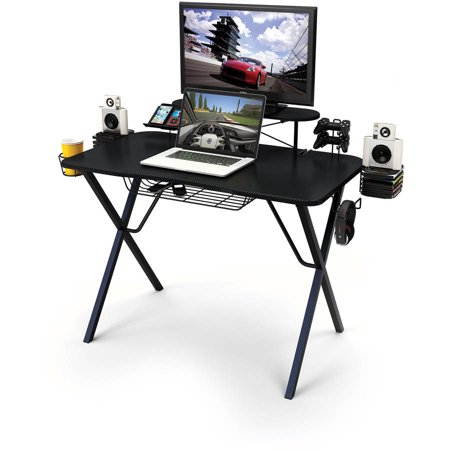
The Arozzi Arena has been a well-respected name in gaming desks for years, and the Special Edition Sakura takes that proven formula and wraps it in a distinctive aesthetic that immediately stands out. The full-surface curved desk mat is the centerpiece here — it wraps the entire desktop in a water-resistant, machine-washable surface that protects the desk, gives your mouse room to breathe, and looks cohesive in a way that a separate desk mat never quite achieves. The curve of the desk itself is subtly ergonomic, pulling the far edges of the work surface slightly closer to you so that reaching across to adjust a second or third monitor doesn't require leaning awkwardly forward.
Cable management is handled through three thoughtfully positioned cutouts that accommodate monitor arms, cable routing, and power strips without the usual mess of cords hanging off the back edge. The sturdy steel legs provide solid, wobble-free stability, and the adjustable height — up to 10cm of range — means you can dial in the right sitting position for your chair and body proportions rather than being locked into one fixed height. Assembly is manageable for one person, though having a second pair of hands makes the process noticeably smoother when attaching the legs and positioning the desk mat.
The Sakura colorway won't appeal to everyone, and the desk doesn't offer motorized height adjustment or standing desk functionality at this price point. If you're after a straightforward, large-format gaming desk with an excellent integrated surface and clean monitor mounting options, though, the Arozzi Arena Special Edition is genuinely hard to beat for the money.
Pros:
- Full-surface curved desk mat is water-resistant and machine washable
- Three monitor attachment cutouts keep cable routing clean and organized
- Sturdy steel legs with up to 10cm of height adjustment
- Curved desktop shape improves ergonomic reach for wide monitor setups
- Distinctive Sakura design for gamers who want a unique aesthetic
Cons:
- Fixed height range without motorized standing desk capability
- Sakura colorway is polarizing — not ideal for neutral or dark-themed setups
- Assembly is easier with two people due to the desk's large footprint
3. EUREKA ERGONOMIC Aero 72 Inch Gaming Desk — Best for Streamers and Content Creators
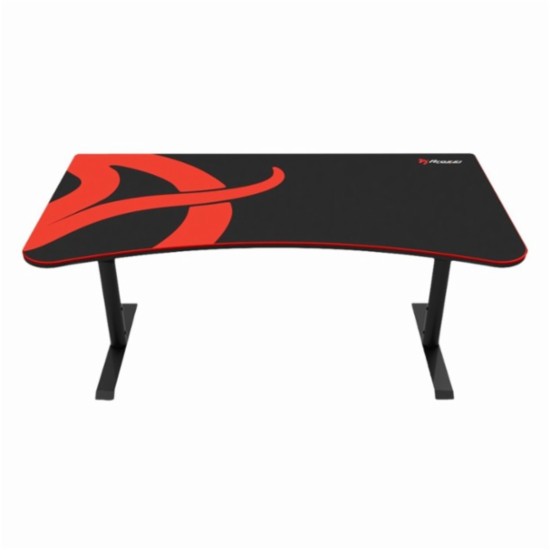
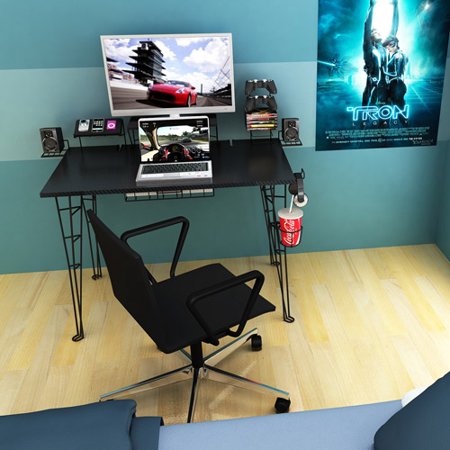
The EUREKA ERGONOMIC Aero 72 is a desk designed specifically for the gamer who needs everything organized and within reach during a live session. At 72 inches wide with a wing-shaped ergonomic desktop, this is a serious work surface — it holds up to 400 lbs of gear, gives you enough real estate for a triple-monitor setup plus streaming hardware, and still leaves room for the included dual monitor shelves that elevate your screens to eye level without a separate monitor arm. The carbon fiber texture surface adds a premium look while resisting scratches during long sessions of heavy use, and the built-in iPad and phone grooves are a small but genuinely useful touch for streamers juggling chat, alerts, and mobile apps simultaneously.
Where the Aero 72 really shines for content creators is the all-in-one functional design. Built-in cable management grommets, dual power socket holders, customizable RGB lighting, a cup holder, and dual headphone hooks on both sides mean you're not cobbling together accessories from five different places — everything ships with the desk. The pull-out keyboard tray slides smoothly and includes a precision mouse pad, and a full-desk extended mouse pad ships in the box as well. If you're looking for a desk that pairs well with a quality gaming headphone stand, the dual hooks built into both sides of this desk mean you may not even need a separate stand.
Assembly takes time given the sheer number of components, and the wing-shaped design requires a specific room layout to work well — you need wall space behind and to the sides. The RGB system, while attractive, adds a layer of complexity that not everyone will want to manage. But if streaming and content creation are a core part of your setup, the Aero 72 bundles more practical functionality per dollar than almost anything else on this list.
Pros:
- Massive 72-inch wing-shaped surface supports up to 400 lbs of equipment
- Dual monitor shelves, headphone hooks, cup holder, and phone grooves all included
- Pull-out keyboard tray with precision mouse pad reduces wrist strain
- Customizable RGB lighting sets the mood for streaming or late-night sessions
- Built-in cable grommets and dual power socket holders keep cords organized
Cons:
- Assembly is lengthy and complex due to the many included components
- Wing-shaped design requires adequate wall clearance on both sides
- RGB controller adds complexity that minimalist setups may not need
4. RESPAWN 3010 Gaming Computer Desk — Best Budget Height-Adjustable Desk
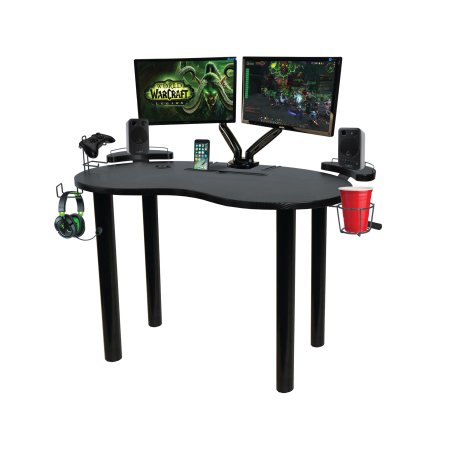
The RESPAWN 3010 makes height-adjustable gaming desks accessible to gamers on a tighter budget, using a pneumatic mechanism to move the work surface across a wide range from 28.125 inches all the way up to 43.875 inches — giving you legitimate flexibility between seated and semi-standing positions without the motor cost of electric standing desks. The raised desktop monitor shelf at 28.75 inches wide and 8.625 inches deep lifts your display to eye level without needing a separate monitor arm, which is a meaningful ergonomic upgrade over a flat desk surface at the same price. RESPAWN is an award-nominated brand with a genuine track record in gaming furniture, and the build quality here reflects that reputation — the frame is sturdy enough to handle daily gaming sessions without wobble or creaking.
The accessory solutions built into the RESPAWN 3010 are well-considered for the price. Raised speaker shelves keep your audio hardware off the main desktop surface, the headphone hook gives you a dedicated spot for your headset, and the cup holder means one fewer thing cluttering your gaming space. The green colorway is eye-catching — it's not for everyone, but it suits a gamer who wants a desk that looks the part of a proper battlestation without spending premium dollars. Pairing this desk with a quality FPS gaming mouse and matching peripherals can create a cohesive setup at a reasonable total cost.
The pneumatic height adjustment, while functional, doesn't offer the same smooth precision as an electric motor, and the desk's surface area is more modest than the larger picks on this list. If you're running a triple-monitor setup or extensive streaming gear, you may find yourself running out of room. For a single or dual-monitor gaming station where height flexibility and a tight budget are the primary concerns, though, the RESPAWN 3010 gets the job done reliably.
Pros:
- Pneumatic height adjustment from 28.125" to 43.875" without motor costs
- Built-in monitor shelf, speaker shelves, headphone hook, and cup holder
- Sturdy, wobble-resistant frame from an award-nominated gaming furniture brand
- Accessible price point for gamers building their first real battlestation
Cons:
- Pneumatic mechanism is less smooth and precise than electric standing desks
- Desktop surface area is smaller than other options on this list
- Green colorway limits compatibility with neutral or dark-themed setups
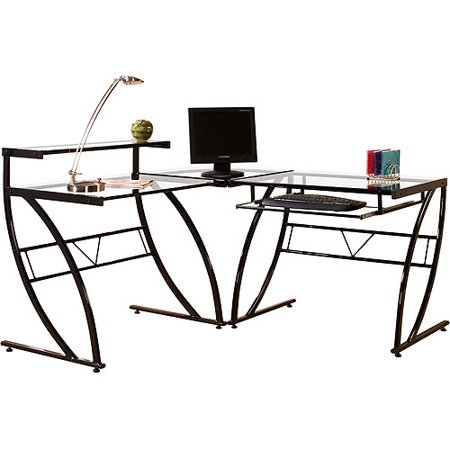
5. SEDETA L Shaped Gaming Desk 47.2" — Best for Small Spaces and Corner Setups
If you're working with a small room or a corner space, the SEDETA 47.2-inch L-shaped gaming desk is one of the most storage-dense options available at its price point in 2026. The all-in-one design packs in five storage drawers, four-tier storage shelves, a CPU stand, a built-in power outlet, and LED strip lighting — an impressive roster of features for a desk that's built specifically for tighter spaces. The reversible four-tier shelf can be positioned on either the left or right side depending on your room layout, which is a thoughtful design choice that most L-shaped desks at this price don't bother to include. Everything is finished on all sides, so you can orient the desk toward the center of a room without exposing raw particleboard edges.
The five drawers are genuinely usable for gaming accessories, documents, or peripheral storage, and the shelving gives you a place to organize everything from a wireless router to decorative items without eating into your desktop space. The power outlet integration means fewer power strips on the floor, and the LED lighting is a fun addition for gamers who want some RGB ambiance without a separate LED strip install. The L-shaped footprint makes better use of corner square footage than any conventional rectangular desk of comparable surface area, which is a real advantage in a smaller bedroom or apartment setup.
The trade-off with a desk this feature-dense at a budget price is build quality — the materials are functional but not premium, and the five drawers use a slide mechanism that doesn't have the smoothness of higher-end furniture. For a compact gaming station where organization and space efficiency take priority over raw desk quality, though, this SEDETA punches well above its weight.
Pros:
- Five storage drawers plus four-tier shelves maximize organization in a small space
- Reversible shelf design adapts to left or right room configurations
- Built-in power outlet and LED strip lights reduce additional accessory purchases
- All-sides finish allows versatile placement in any room orientation
- L-shaped footprint uses corner space more efficiently than rectangular desks
Cons:
- Drawer slide mechanism feels less smooth than higher-end options
- Materials are functional rather than premium at this price range
- 47.2-inch primary surface may feel cramped for dual-monitor setups
6. SEDETA 94.5" Two Person Gaming Desk — Best Shared Gaming and Office Desk
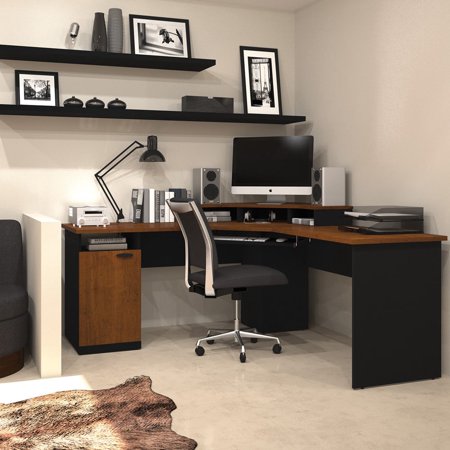
At nearly eight feet long, the SEDETA 94.5-inch two-person desk is a legitimately impressive piece of furniture for a shared gaming or home office environment. The desktop gives two people side-by-side working space without either person feeling crowded, and the eight included fabric storage drawers split the organizational load so both users have dedicated storage on their half of the desk. The 94.5-inch LED strip runs the full length of the desk, creating a consistent lighting atmosphere across the entire setup, and the included power strip with three AC outlets and two USB-A charging ports means both users can power their devices from a single centralized location rather than competing for wall sockets.
The monitor stand accommodates up to four monitors simultaneously and lifts them to an ergonomically appropriate height that reduces the neck and back strain that comes with looking down at a flat-desk monitor position all day. The printer stand with additional storage is a practical addition for home office configurations where documents and peripherals need a dedicated spot off the main work surface. For gaming roommates, siblings sharing a bedroom setup, or couples who both work and game from home, this desk solves the shared-space problem in a way that very few products at this price actually manage to do cleanly.
The primary caveat here is the physical footprint — 94.5 inches requires a room that can genuinely accommodate it, and delivery and assembly of a desk this large is a meaningful undertaking. The fabric drawers, while functional, aren't as durable as wooden drawer construction, and the desk's depth at 19.7 inches is narrower than you might expect at this length, which can limit how you position monitors and gear side by side.
Pros:
- 94.5-inch length provides genuine two-person workspace without compromise
- Eight fabric drawers deliver shared organizational storage for both users
- Full-length LED strip and centralized power strip serve both sides simultaneously
- Monitor stand raises up to four screens to ergonomic eye level
- Printer stand with storage handles peripheral overflow neatly
Cons:
- Requires a room large enough to comfortably accommodate a nearly 8-foot desk
- 19.7-inch depth is narrower than expected for a desk this long
- Fabric drawers less durable than wooden drawer construction over time
- Assembly of a desk this size is a significant time investment
7. Thermaltake ToughDesk 500L RGB — Best for RGB Enthusiasts with a Standing Desk Budget
Thermaltake is a brand that PC enthusiasts trust for cases, cooling, and power supplies, and the ToughDesk 500L RGB brings that same build-quality DNA to the gaming desk category. The motorized height adjustment runs from 27.5 inches all the way up to 43.3 inches — a wider range than most electric standing desks at this price — and the quiet motor mechanism is notably smooth, allowing mid-session height changes without the mechanical racket that cheaper desk motors produce. The RGB integration is done properly here, not as an afterthought, and it ties neatly into the Thermaltake ecosystem if you're already running TT components in your rig.
The 500L's surface is large enough to support a full multi-monitor gaming setup, and the structural design prioritizes stability even at the upper height range — something that budget standing desks often fail at, with noticeable sway when the frame is fully extended. Thermaltake has paid attention to the transition between seated and standing positions, and the desk feels planted at both extremes and everywhere in between. If you're also in the market for a chair to complement this desk, the DXRacer vs Maxnomic comparison is a useful read for pairing your seating to a standing desk workflow.
The ToughDesk 500L sits at a premium price point relative to the non-standing desks on this list, and the RGB lighting — while excellent for Thermaltake ecosystem users — adds cost that budget-conscious buyers may not want to pay for. Cable management options, while present, aren't as thoughtfully integrated as the Secretlab Magnus Pro XL. For an RGB-focused gamer who wants motorized height adjustment from a trusted PC hardware brand, though, the 500L is a compelling and well-executed option in 2026.
Pros:
- Electric height adjustment from 27.5" to 43.3" covers a wide range for most users
- Quiet motor mechanism allows mid-session height changes without disturbance
- Stable frame at full extension — no sway or wobble at maximum height
- RGB integration designed for Thermaltake ecosystem users
- Large surface supports multi-monitor configurations comfortably
Cons:
- Premium price point relative to non-standing desk alternatives
- Cable management not as deeply integrated as the Secretlab Magnus Pro XL
- RGB feature adds cost that non-Thermaltake ecosystem users may not need
Choosing the Right Gaming Desk: A Buying Guide
With seven strong options across very different price points and use cases, narrowing down the right gaming desk comes down to a handful of key factors that are worth thinking through before you buy. Here's what to weigh before making your decision in 2026.
Surface Size and Shape: Match the Desk to Your Setup
The first question to answer is how much desk you actually need. If you're running a single 27-inch monitor with a compact keyboard and a 60% layout, a smaller desk like the SEDETA L-shaped 47.2-inch is going to feel like plenty of space. If you're running three monitors, a capture card, a stream deck, and a full-size keyboard with a wrist rest, you need at minimum 60 to 72 inches of width to avoid feeling cramped. The shape matters too — an L-shaped desk uses corner space more efficiently than any rectangular desk of the same footprint, making it the better choice for smaller rooms. A straight desk tends to suit open-wall configurations better, while a curved desk like the Arozzi Arena improves ergonomic reach across wide monitor arrangements.
- Single monitor setup: 40–55 inches of width is sufficient
- Dual monitor: aim for 60 inches minimum
- Triple monitor or streaming: 72 inches or an L-shaped configuration
- Corner rooms with limited wall space: L-shaped wins over rectangular
Height Adjustment: Standing Desks vs Fixed Height
Standing desks have gone from a premium luxury to a mainstream feature, and for good reason — the ability to alternate between sitting and standing during long gaming sessions reduces the physical fatigue and back discomfort that accumulates over hours of play. Electric motorized desks like the Secretlab Magnus Pro XL and Thermaltake ToughDesk 500L offer smooth, precise adjustment at the press of a button, while pneumatic options like the RESPAWN 3010 give you height flexibility at a lower cost with less precision. Fixed-height desks — including the Arozzi Arena and most SEDETA options — eliminate this functionality entirely but keep costs lower and designs simpler. If you game for more than two or three hours at a stretch regularly, a height-adjustable option is worth the investment for your long-term comfort.
Cable Management: How Much Clutter Can You Tolerate?
Cable management is one of those features that sounds minor until you're dealing with a nest of cords underneath your desk every time you try to swap a peripheral. Better desks build this in from the ground up — the Secretlab Magnus Pro XL's integrated power column and full-length tray are the gold standard here, but even simpler solutions like the Arozzi Arena's cutouts or the EUREKA Aero's built-in grommets make a meaningful difference in day-to-day desk cleanliness. If you're streaming or recording on camera, cable management becomes doubly important for background aesthetics. When you're evaluating desks, look specifically for: routing holes or grommets, under-desk cable trays, and integrated power strips or outlets.
- Routing holes or grommets: essential for any multi-monitor setup
- Under-desk cable tray: the cleanest solution for hiding power bricks and USB hubs
- Integrated power outlet: eliminates floor-level power strips entirely
- Built-in power column: Secretlab's approach is the most elegant available in 2026
Storage and Organization Built Into the Desk
Not every desk needs drawers and shelves, but if your gaming space doubles as a work or study area, integrated storage can meaningfully reduce room clutter. The SEDETA options on this list lead the field in this regard — the L-shaped 47.2-inch brings five drawers and four-tier shelving, while the 94.5-inch two-person version ships with eight drawers, a printer stand, and a monitor riser. Compare this to performance-oriented desks like the Thermaltake ToughDesk or Secretlab Magnus, which prioritize surface space and ergonomics over storage capacity. Think honestly about how much of your gear needs to be at-desk-level versus stored elsewhere in the room, and choose accordingly.
Common Questions
What size gaming desk do I need for a dual monitor setup?
For a comfortable dual-monitor gaming setup, you'll generally want at least 55 to 60 inches of desk width. This gives you enough room to position two 27-inch monitors side by side, with space remaining on the left or right for a keyboard, mouse, and small peripherals. If you're using ultrawide monitors or want more working room around your screens, 63 to 72 inches is a better target. An L-shaped desk can also work well for dual-monitor configurations by placing each monitor on a different arm of the L.
Are electric standing gaming desks worth the extra cost?
For gamers who spend two or more hours at their desk each day, a motorized standing desk is genuinely worth the premium in 2026. The ability to alternate between seated and standing positions reduces the physical strain on your lower back, hips, and neck that accumulates during long sessions. Electric desks are smoother and more precise than pneumatic alternatives, and the best models — like the Secretlab Magnus Pro XL and Thermaltake ToughDesk 500L — add cable management and build quality improvements that justify the price increase on their own merits.
How important is cable management in a gaming desk?
Cable management is more important than it seems, especially if you're running a multi-monitor setup with multiple peripherals and a streaming configuration. Desks with built-in routing grommets, under-desk cable trays, and integrated power solutions dramatically reduce visual clutter and make it significantly easier to swap or upgrade peripherals without untangling a web of cords. If you ever record or stream on camera, clean cable management also improves your background presentation. Desks without any cable management features become visually messy very quickly in real-world gaming setups.
Can I use a gaming desk for everyday work and productivity too?
Absolutely — nearly all of the gaming desks on this list are equally well-suited to professional work and productivity tasks. Most gaming desks simply offer a large, stable surface with good cable management and ergonomic height options, which are useful regardless of whether you're gaming, working from home, or doing creative work. The SEDETA two-person desk and L-shaped model in particular are designed with dual work-and-gaming use in mind, incorporating storage drawers, monitor stands, and power strips that serve office tasks just as well as gaming sessions.
What's the difference between an L-shaped gaming desk and a standard rectangular desk?
An L-shaped gaming desk uses two connected surface sections that meet at a corner, allowing you to wrap your setup around two walls and make efficient use of corner space. This gives you significantly more total surface area within a smaller room footprint compared to a standard rectangular desk of similar length. The trade-off is that L-shaped desks require a corner wall configuration and can feel awkward if you want to reposition them later. Rectangular desks are more flexible in placement and work along any single wall, but require more linear wall space to achieve the same total surface area as an L-shaped design.
How do I choose between a gaming desk with built-in RGB and one without?
Built-in RGB lighting on a gaming desk is purely an aesthetic feature — it doesn't affect performance, ergonomics, or build quality. The decision comes down to whether you value a cohesive, illuminated battlestation aesthetic and whether you're already invested in an RGB ecosystem like Thermaltake's. If you're building a setup where LED ambiance is part of the experience, a desk with integrated RGB simplifies the overall lighting build. If you prefer a clean, minimal aesthetic or don't want to manage additional lighting software, a desk without RGB will serve you just as well for actual gaming purposes.
Buy on Walmart
- Secretlab Magnus Pro XL with Stealth MAGPAD Desk Mat | Ergon — Walmart Link
- Arozzi Arena Special Edition Ultrawide Curved Gaming and Off — Walmart Link
- EUREKA ERGONOMIC Aero 72 Inch Gaming Desk with Keyboard Tray — Walmart Link
- RESPAWN 3010 Gaming Computer Desk Ergonomic Height Adjustabl — Walmart Link
- SEDETA L Shaped Gaming Desk, 47.2" Reversible Small Computer — Walmart Link
- SEDETA 94.5" 2 Person Gaming Desk, Long Office Computer Desk — Walmart Link
- Thermaltake ToughDesk 500L RGB — Walmart Link
Buy on eBay
- Secretlab Magnus Pro XL with Stealth MAGPAD Desk Mat | Ergon — eBay Link
- Arozzi Arena Special Edition Ultrawide Curved Gaming and Off — eBay Link
- EUREKA ERGONOMIC Aero 72 Inch Gaming Desk with Keyboard Tray — eBay Link
- RESPAWN 3010 Gaming Computer Desk Ergonomic Height Adjustabl — eBay Link
- SEDETA L Shaped Gaming Desk, 47.2" Reversible Small Computer — eBay Link
- SEDETA 94.5" 2 Person Gaming Desk, Long Office Computer Desk — eBay Link
- Thermaltake ToughDesk 500L RGB — eBay Link
Final Thoughts
Every desk on this list serves a different type of gamer well — whether you're after the clean-cable engineering of the Secretlab Magnus Pro XL, the storage-dense practicality of a SEDETA L-shaped setup, or the all-in-one streaming functionality of the EUREKA Aero 72, there's a strong option here for your specific situation and budget. Take a moment to measure your space, count your peripherals, and decide whether standing desk functionality is a priority, then click through to the pick that fits your setup best and check the current Amazon price.


About Mike Jones
Mike Jones grew up in the golden age of arcade and home gaming — a childhood shaped by Atari classics like Pitfall, Frogger, and Kaboom that gave him a lifelong appreciation for games of all kinds. These days he covers the full breadth of tabletop and family gaming: board games, card games, yard games, table games, and game room setup, with a particular focus on finding the games that bring different groups together. At GamingWeekender, he covers game reviews, buying guides, and recommendations for families, friends, and hobbyists who take their leisure seriously.
You can get FREE Gifts. Or latest Free phones here.
Disable Ad block to reveal all the info. Once done, hit a button below